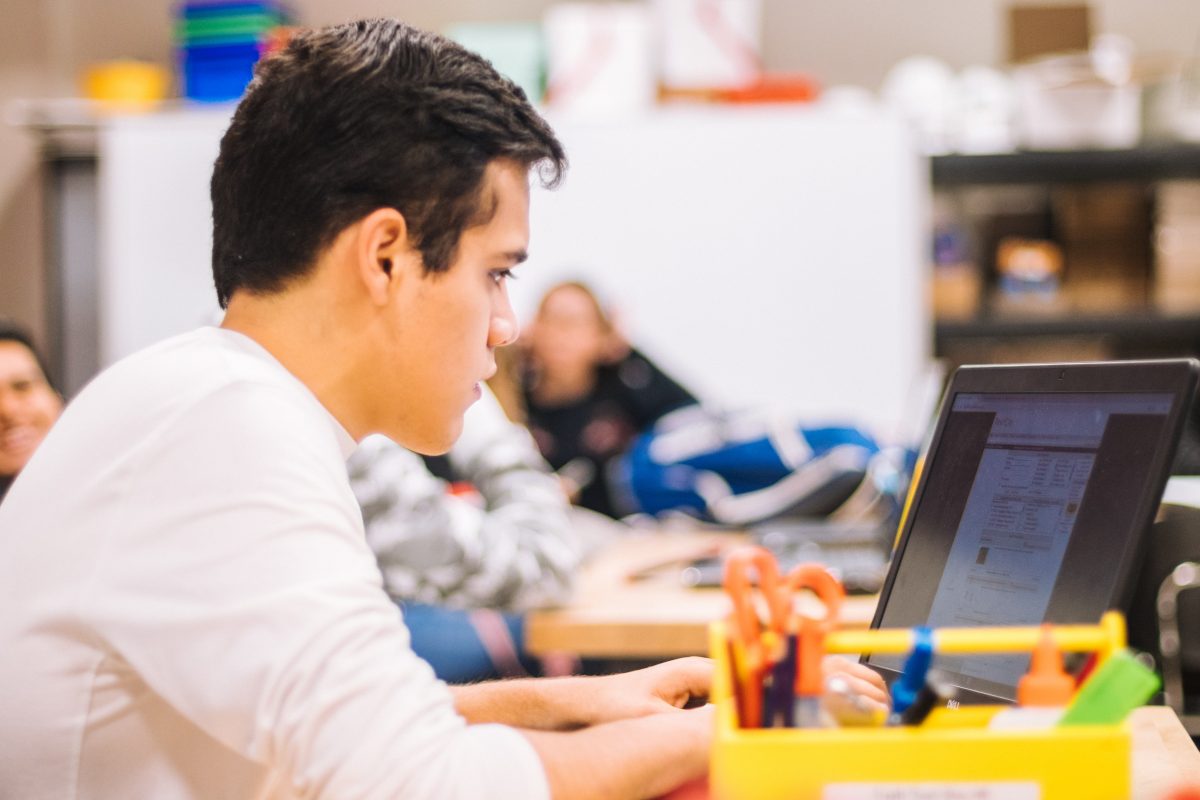
Give Your Child a Head Start This Easter 2026 with Our Computer Camps in Lucan
Looking for a fun, educational, and engaging way for your child to spend their Easter break? Our Easter Computer Camps in Lucan are designed to help kids and teens explore the exciting world of technology while building essential skills for the future.
Why Choose Our Easter Computer Camps?
At our camps, learning is hands-on, interactive, and – most importantly – fun! Children will get the chance to:
Learn to Code: From basic programming to creative coding projects, kids develop problem-solving and logical thinking skills.
Explore AI and Digital Design: Discover the power of artificial intelligence and create amazing digital designs.
Master Video Editing: Learn how to produce and edit videos like a pro, giving them a creative outlet for storytelling.
Build Confidence with Technology: Our supportive environment encourages curiosity, collaboration, and independent learning.
Who Can Join?
Our camps are perfect for children and teens of all experience levels, whether they’re just starting with computers or already tech-savvy. Each session is tailored to ensure every participant learns at their own pace while having fun.
Practical Details
Dates: During the Easter school break
Location: Lucan
Limited Spaces: To ensure personalised attention, spaces are limited – early booking is recommended!
Give Your Child a Fun, Tech-Filled Easter
Invest in your child’s digital future while giving them an unforgettable Easter experience. Our camps combine creativity, technology, and fun in a safe, engaging environment.
Book your child’s spot today and let their tech adventure begin!
Exciting Computer Camps for Primary School kids in July 2025! Join us in Dublin’s Dundrum, Whitehall, and Lucan locations for tech-filled adventures.
Looking for a productive and enriching summer activity for your child in 2025? Consider enrolling them in our Searsol computer skills camps, where they will gain valuable digital skills essential for academic success and future endeavours. Our camps are scheduled in the following locations this year:
Level 1 Computer course is suitable for Primary school children from age 8 upwards and offers the following modules:
Computer Camp – Level 1 – 8 -10-year-olds
First Hour – Mastering Typing
Typewiz typing tutor – designed specifically for children.
Typing – during the first hour, students focus on mastering typing techniques, improving typing speed, and accuracy through structured exercises and practice sessions.
Second Hour – Essential Digital Skills Workshop
Email – Learn how to compose email replies, forward
Email Essentials: Students delve into setting up and using email accounts effectively, mastering email etiquette for personal communication, including composing messages, managing attachments, and sending emails.
Create word-processing documents
Word Processing Basics: Introduction to word processing software, including creating letters, utilising spell-check tools, and formatting documents for clarity and aesthetics.
Create presentation slides similar to PowerPoint
Presentation Skills: Students explore creating dynamic presentation slides, incorporating animations, inserting images, and experimenting with fonts to communicate ideas effectively.
Third Hour – Creative Exploration and Digital Artistry
In this session, creativity takes centre stage as students engage in a variety of hands-on projects and activities:
Designing Online Comics: Students unleash their storytelling skills by creating their own online comic book strips, and exploring narrative structures and visual storytelling techniques.
Avatar and Character Creation: Students design and customise their avatars and characters using digital tools, expressing their unique personalities and creativity.
Birthday Card Creation: Students craft personalised digital birthday cards, incorporating graphics, text, and special effects to celebrate special occasions creatively.
Picture Collages: Exploring digital image editing, students learn to create captivating picture collages, arranging and editing photos to convey artistic expressions.
Image Editing and Animation: Students delve into the world of digital art, learning to draw, edit, and animate images using specialised software tools, unlocking their artistic potential.
Introduction to Coding: Students are introduced to the basics of coding concepts through interactive games and puzzles, fostering computational thinking and problem-solving skills.
Artificial Intelligence Module: A glimpse into the fascinating world of AI introduces students to its applications and ethical considerations, sparking curiosity and critical thinking.
Create birthday cardsComic stripsDesign and Create picture collages
Here are the improvements to the important information about our computer camps:
1. **Tailored Curriculum for Primary School Children**: Our course materials are specifically designed to cater to the learning needs and interests of primary school children, ensuring that they engage with age-appropriate and stimulating content throughout the camp.
2. **Certificate of Completion**: Each student who completes the camp will receive a certificate, recognising their dedication and achievement in acquiring valuable computer skills and knowledge during the program.
3. **Qualified and Vetted Tutors**: Rest assured, all our tutors are thoroughly Garda vetted, ensuring the safety and well-being of every child in our camps. Our team comprises experienced professionals dedicated to fostering a positive learning environment.
4. **Positive Learning Atmosphere**: Our camps are conducted in a positive and encouraging environment that motivates students to explore, learn, and excel. We prioritise creating a supportive atmosphere where every child feels valued and inspired to reach their full potential.
By choosing our computer camps, you can trust that your child will not only gain valuable computer skills but also experience a safe, positive, and enriching learning journey. Join us for an exciting summer of learning and growth!
Searsol computer Camps for children and teenagers run over Easter and the month of July 2022 in Dublin – Dundrum, Malahide and Lucan.
Looking for something productive for your child or teen to do over Easter or Summer? Why not enroll them in our Searsol computer skills camps where they will learn a range of computer skills which will help them through school and beyond. The camps are taking place in the following locations this year:
Typewiz typing tutor – designed specifically for children.
Touch Typing – the first hour of the course is dedicated to learning how to touch type. Using our typing tutor Typewiz. Your child will be shown how to type correctly using their eight fingers. Helping them to improve their typing skills and saving them time doing their homework/projects for schools
Second Hour – Email / Word Processing / Presentation Slides
Email – Learn how to compose email reply, forward
Email fundamentals – Compose, reply, forward messages, and add attachments. Learn how to send an email and become confident about how to use email.
Create word processing documents
Word Processing – introduction to word processing. Your child will learn how to use word processing to create documents. They will learn how to format, insert images, change fonts and sizes. Giving them the confidence to use word processing to create documents for school homework and projects.
Create presentation slides similar to PowerPoint
Presentation slides – Your child will learn how to create presentation slides similar to PowerPoint. They will learn how to insert images, add animation, insert video, formatting. This will give them the knowledge to create slides for classroom presentations.
Third Hour – Fun Stuff – Design / Create / Draw and Animate
In the last how your Child will get to do the following:
Design their online comic book.
Creating their own avatar or character
Design and print birthday cards.
Download images from Google images
Creating their own Picture collages.
Draw and edit their own images.
Uploading, editing, and cropping pictures.
Image design
Introduction to coding
And much more…
Create birthday cardsComic stripsDesign and Create picture collages